Research questions
- RQ1: How can we design a planning tool for young adults with ADHD?
- RQ2: How can we use AI-driven task chunking and scheduling to reduce task paralysis?
Formative interviews
We ran semi-structured interviews with 10 participants with ADHD, aged 20 to 27. They included analysts, software engineers, a consultant, a marketer and master's students. We used thematic analysis to code their responses. Key insights:
- Starting is the hardest part. Large or unclear tasks lead to procrastination, especially ones that are missing information or depend on other people.
- Structure and flexibility. "I really need structure… If I don't, I think it can wait until I mess up a deadline," but also "I work in energetic spurts."
- Reminders, done right. "Too many reminders, and you risk becoming a Duolingo."
- AI as support, not control. Participants wanted suggestions they could contrast with their own plans.
- ADHD-specific factors, such as energy levels, time of day and medication, all shape productivity.
These became five design goals: simplicity, personalization, a balance of structure and flexibility, AI-driven assistance, and visual, interactive features.
System design
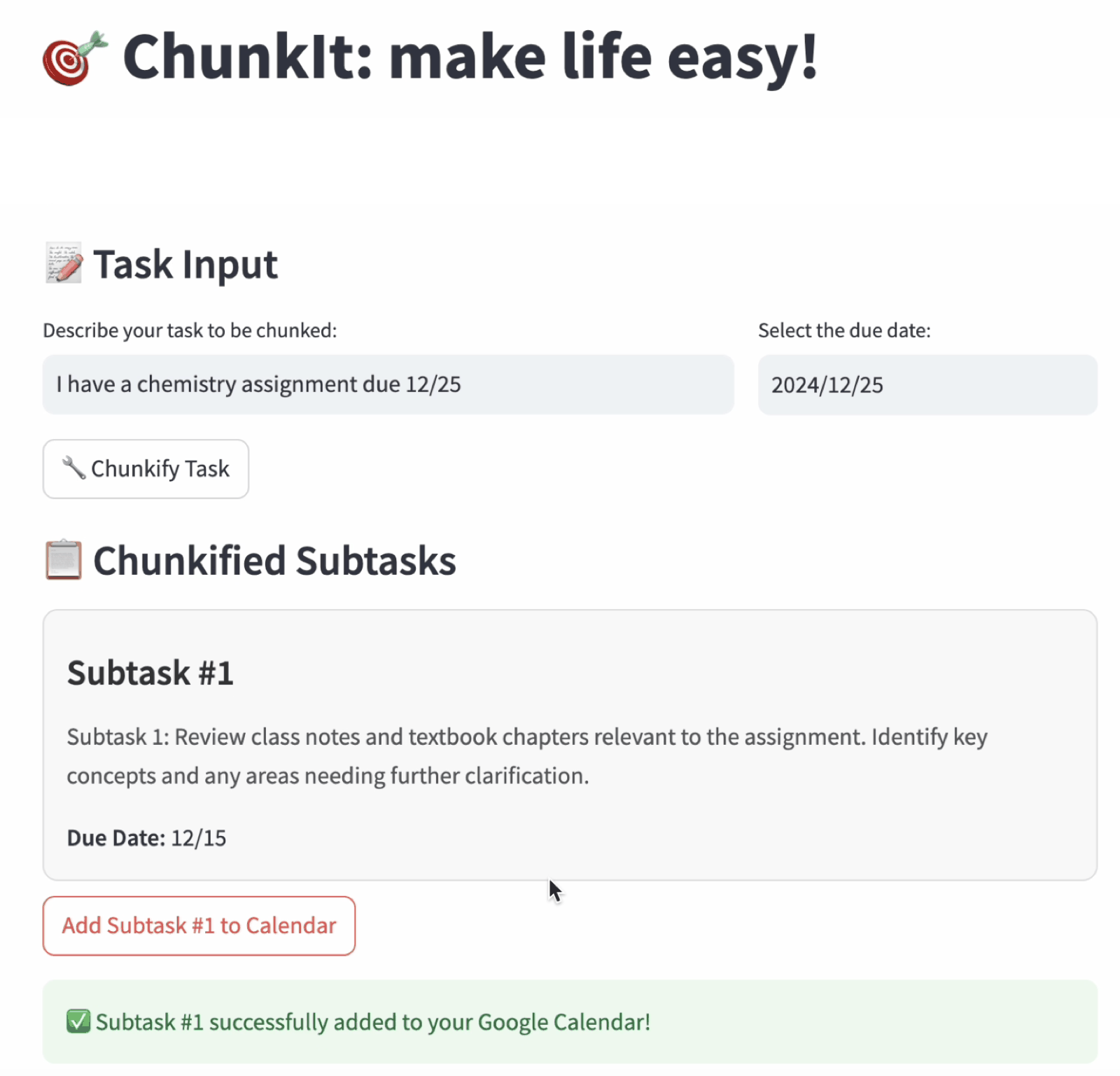
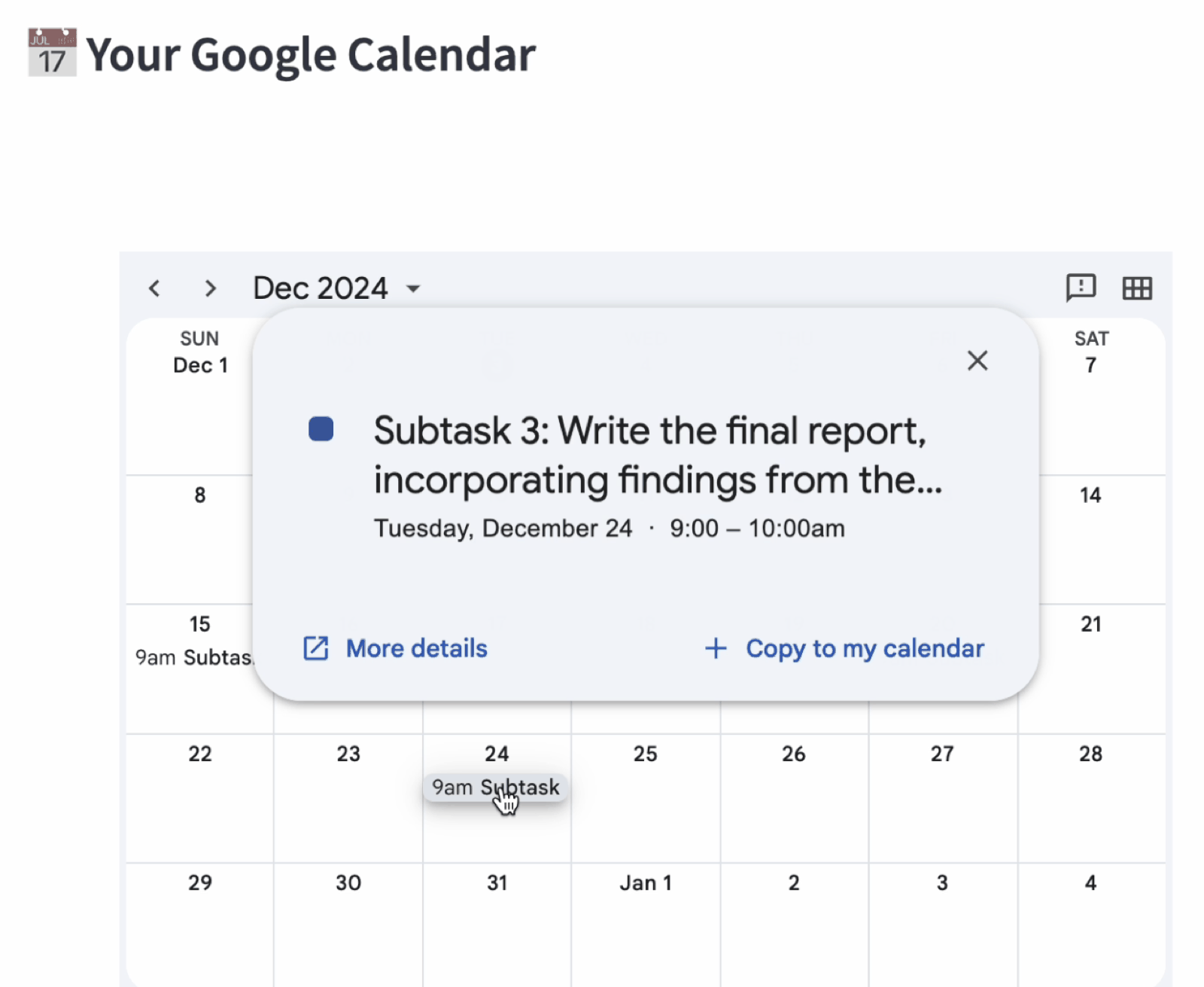
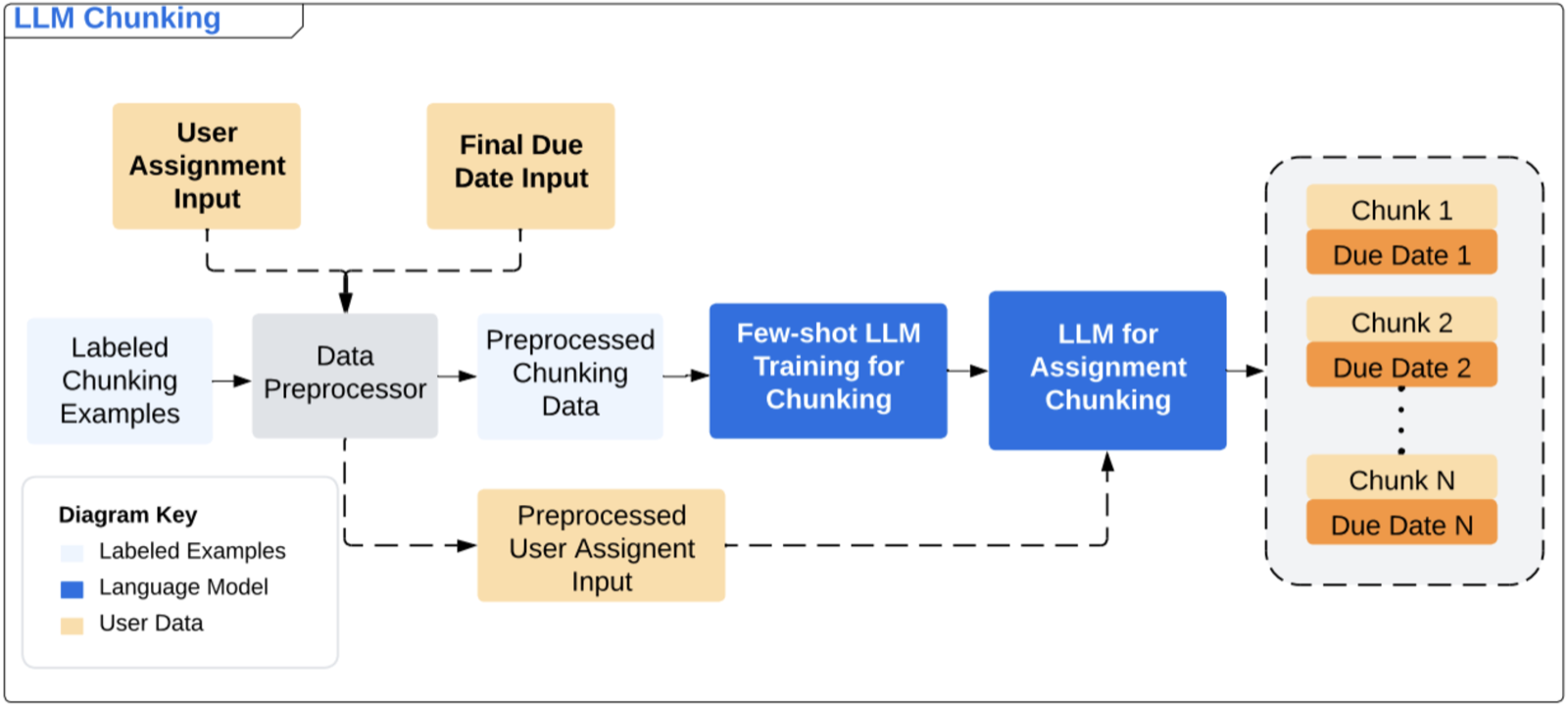
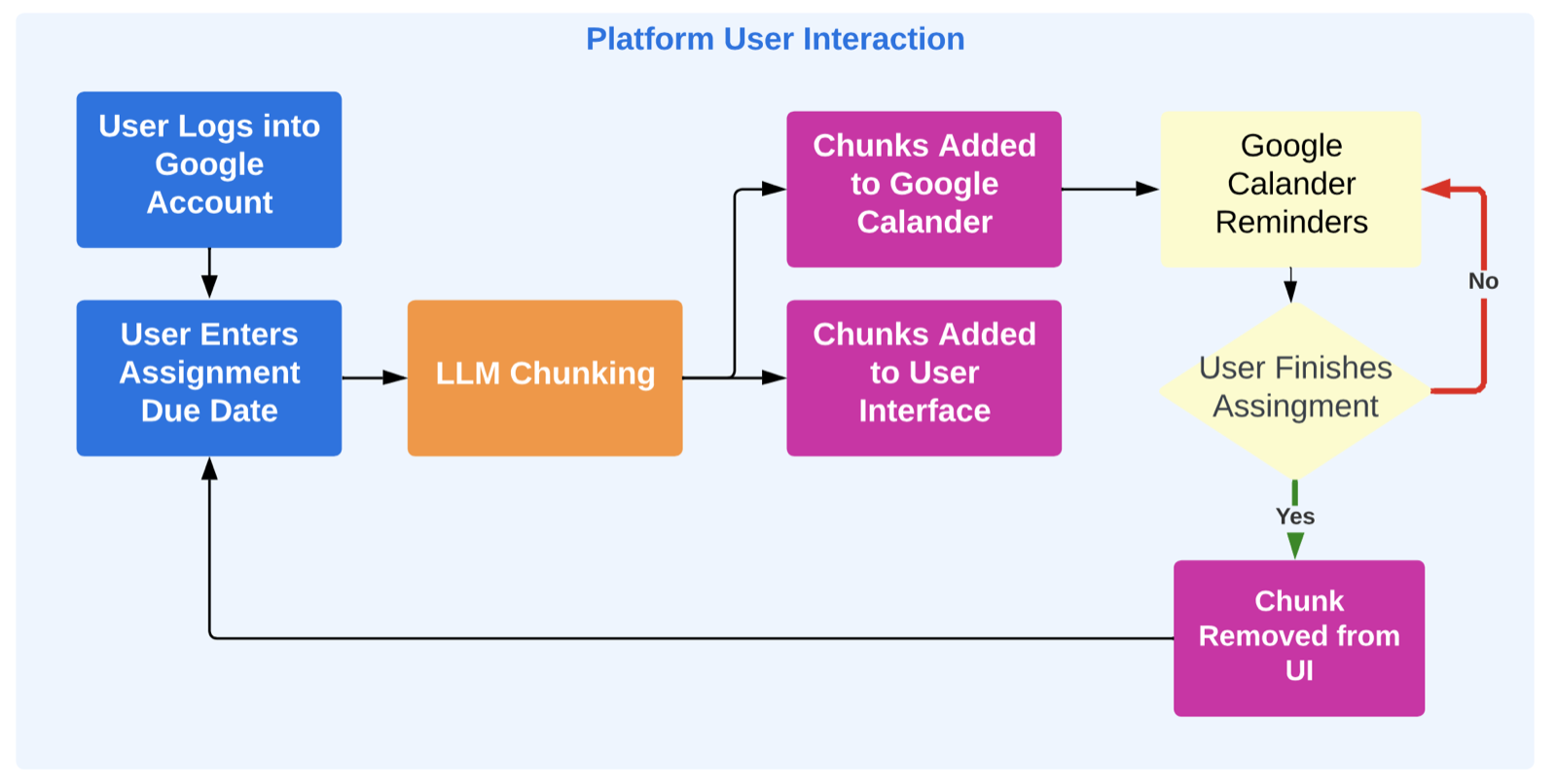
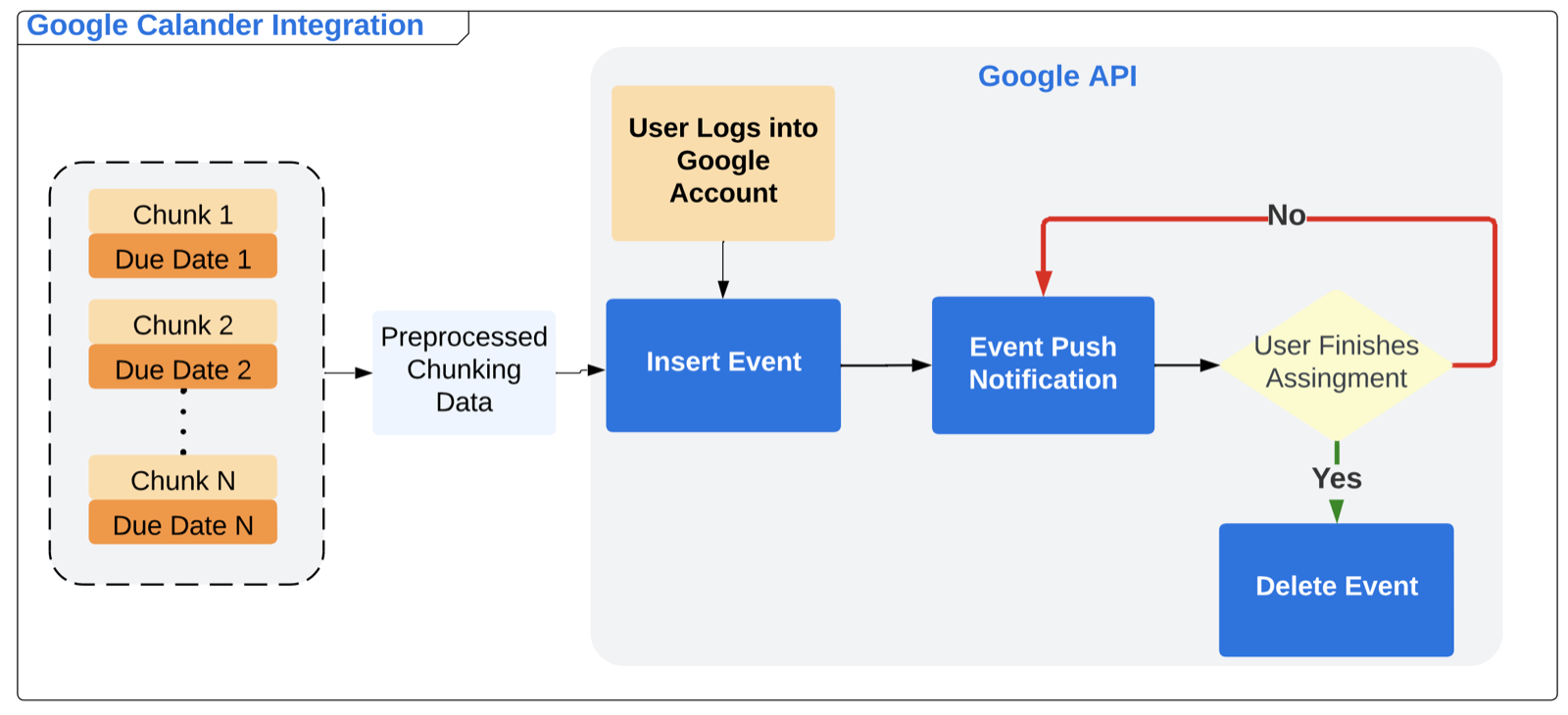
Users enter a task and its final due date. A few-shot-prompted LLM (Gemini 1.5 Flash) uses labelled chunking examples to split the task into subtasks, each with its own intermediate due date. After a Google sign-in, each chunk can be added to the user's Google Calendar through the Calendar API, which triggers push reminders.
User study
In a within-subjects study, 7 participants got a 2-minute overview, then thought aloud while chunkifying 3 real tasks and adding every subtask to their calendar. A 15-minute interview followed, and the same interview was repeated after one week. Tasks included study-abroad prep, moving out of college, grad school applications, a pitch for a modeling system and an album-release plan.
Findings
Chunking reduces procrastination
Most participants finished every subtask they scheduled through ChunkIt during the week.
"Even if you procrastinate until the due date, you're only doing it for one task. By subtask 2 or 3, you feel accomplished." (P3)
Calendar integration creates accountability
"If it's not in my calendar, it's not getting done." (P3)
Most participants preferred 1 to 3 reminders per task. The benefit depended on already using Google Calendar, and some participants asked for Notion integration.
Room for adaptivity
Participants asked for finer-grained chunks for complex tasks, control over the prompt, a "nudge" feature, dynamic rescheduling after missed deadlines, energy-aware scheduling and positive reinforcement.
Design implications
- Balance structure with flexibility: schedule specific time blocks, not just deadlines, and adapt when plans slip.
- Personalize granularity, reminder frequency and prompts.
- Integrate with the tools people already use.
- Use gamification and celebrate progress to keep people engaged over time.